How it works you, Wisper, the teams
You set the direction.
Wisper keeps the work moving.
Talk to Wisper in your own words. She hands the work to the AI helpers that look after each project (we call them project agents), keeps it moving in the background, and brings the result back to you. You see what changed and decide what happens next.
How it plays the quest loop
Say it once.
She does the rest.
- 01
Say it
Tell Wisper. In your own words.
Type it, say it out loud, or send it from your phone. No ticket, no form, no picking which agent. One sentence is enough.
- 02
She routes
She hands it to that project's agent.
Every project has its own agent, and a new game or app is a new project, with its own agent, from the first minute. Questions and quick jobs she does herself. The request lands on your Queue, so nothing gets lost between chats.
- 03
Agents work
The work runs in the background.
Each agent works in its own process, live on your Overview under What's rolling. Quit the app or restart it in the middle of a long job: the run keeps going, and the app picks it back up.
- 04
She comes back
She finds you when it's done.
A report lands and her popup slides in with a chime, over whatever you're doing. Anything only you can decide comes as one decision, with her recommendation.
Replay one real afternoon
Her page. The whole loop.
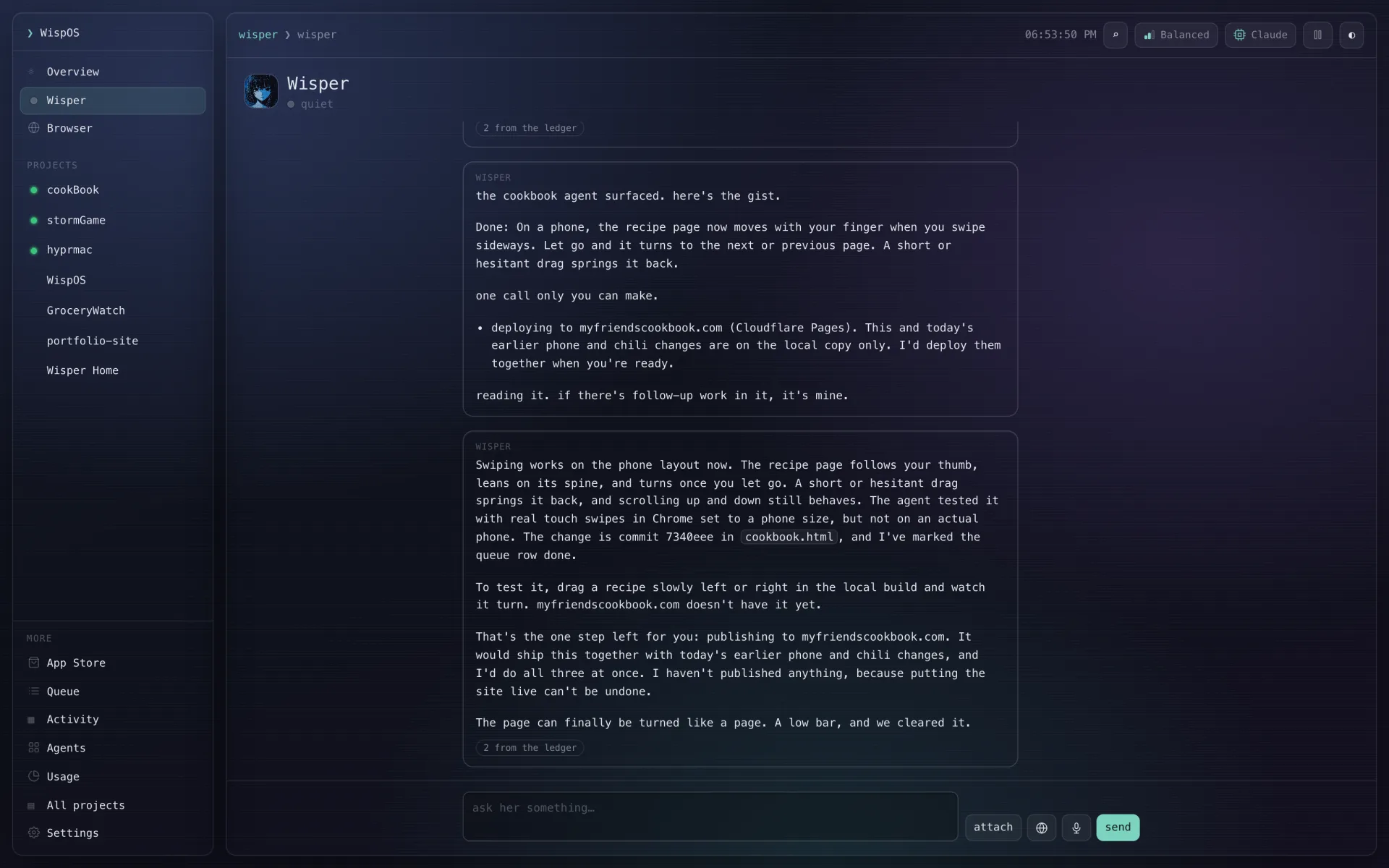
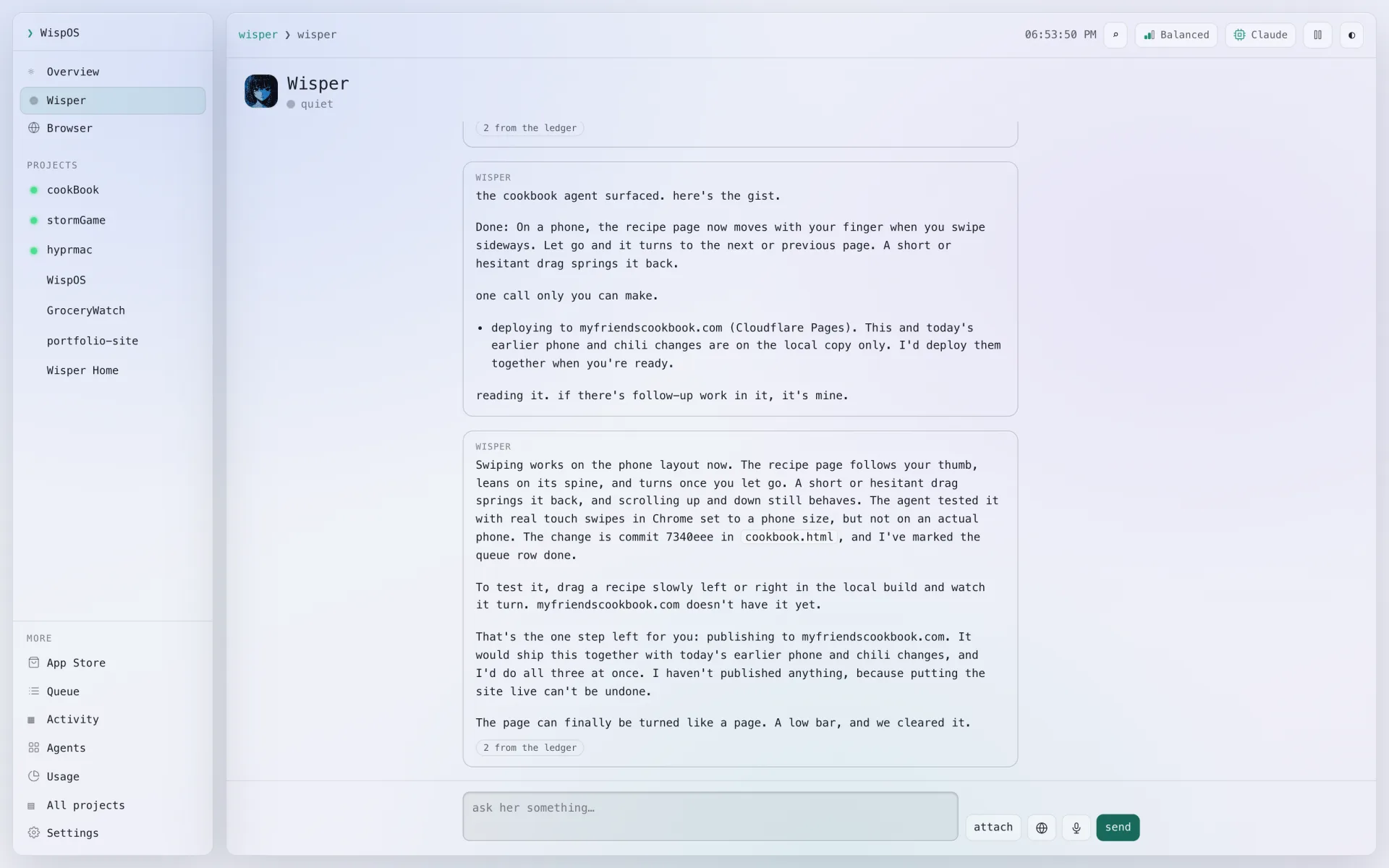
"Pull up my friends cookbook", then a request, then her report when the cookBook team finished.
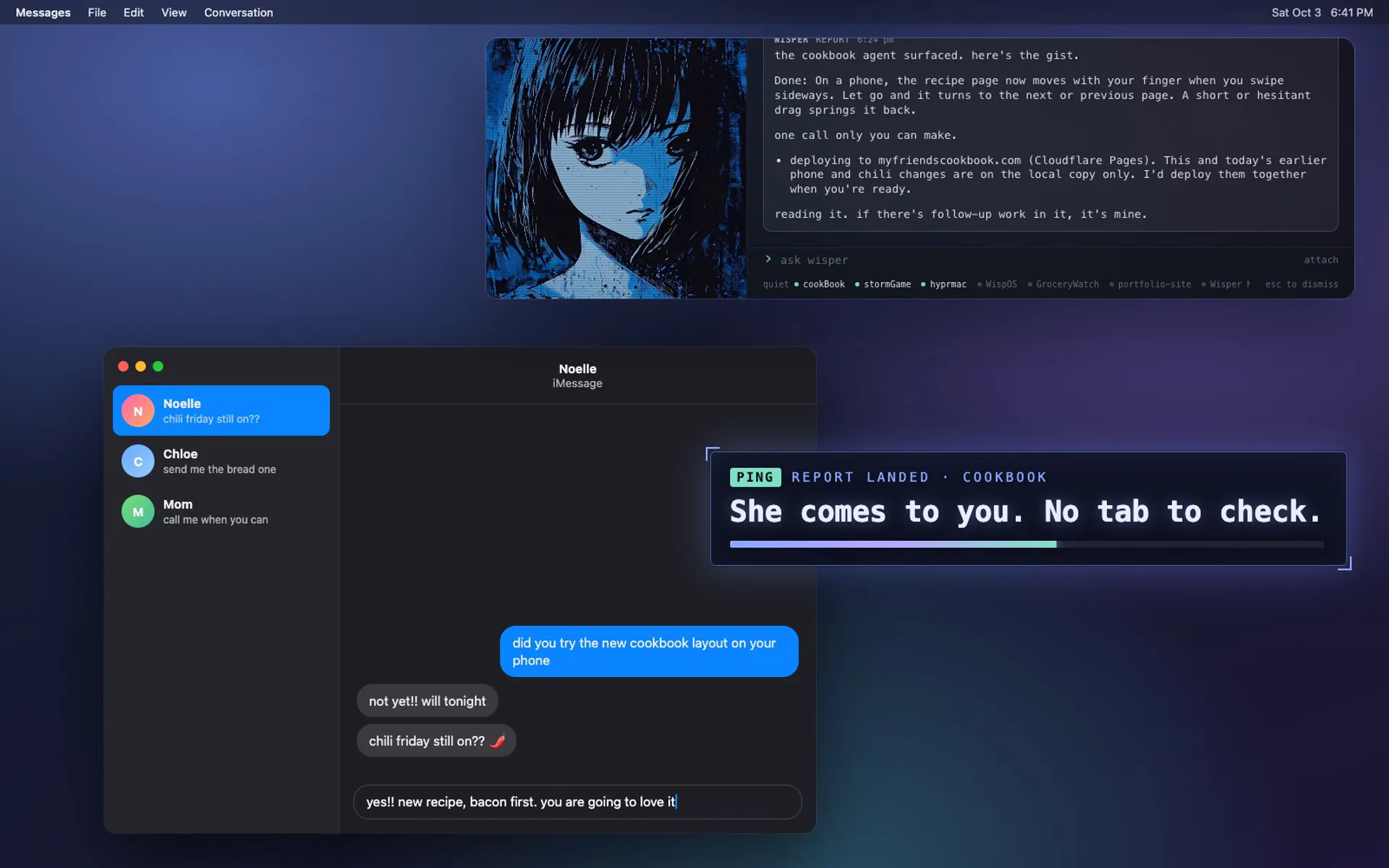
Ping she comes to you
You're mid-text.
She slides in.
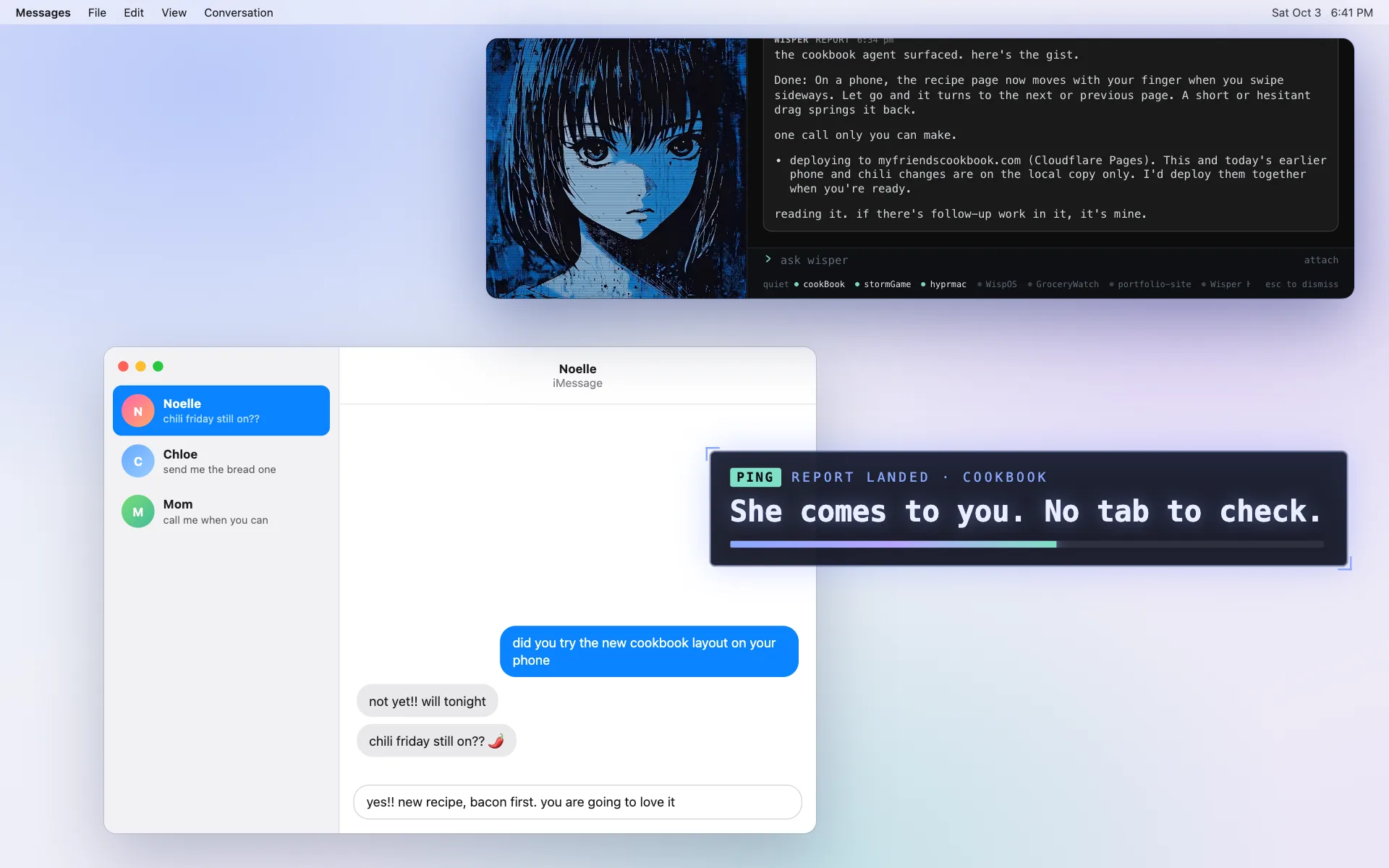
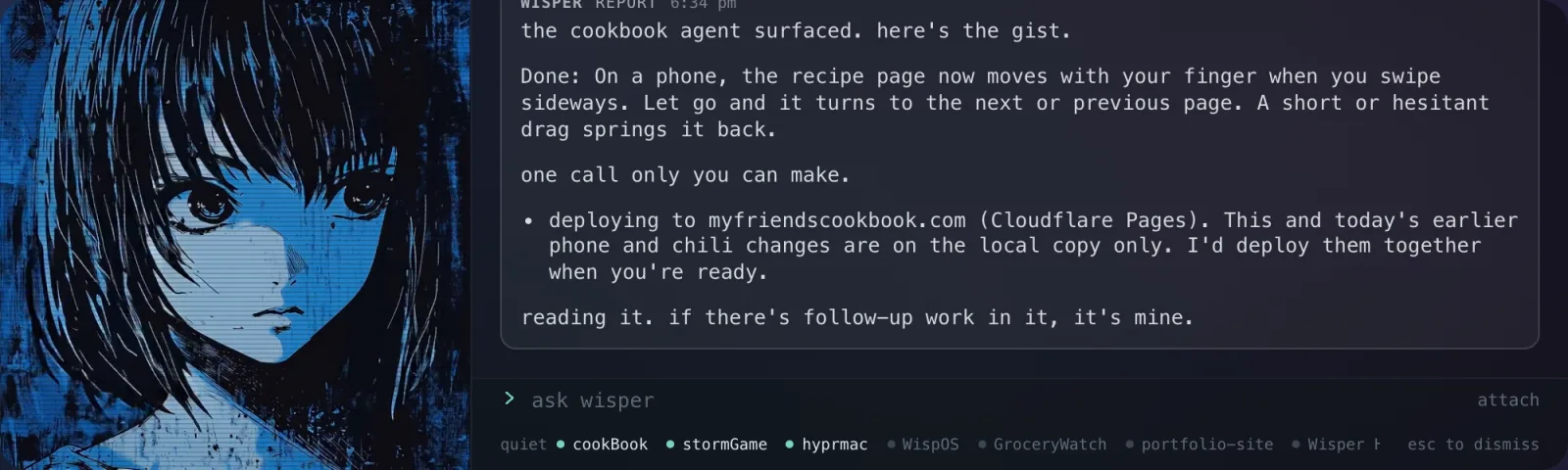
You're texting a friend about Friday. A chime, and her popup slides in over it, right where you last put her: the cookbook agent is done, the recipe pages now turn with a swipe, and there's one call only you can make.
You finish your sentence and hit send. Then answer her in the popup's own box, or one click and you're in, with the report, the change and the decision all in front of you. There was nothing to check and no tab to remember.
Esc puts her away, and left alone she fades on her own. The report stays on her page until you've read it.
Patch notes a different way to work
Stop managing agents.
Talk to one.
Before · solo grind
- A terminal and a chat per project, and you're the one switching between them
- Re-explaining the project every time you open a new chat
- Checking back to see whether anything finished
- Decisions buried in the scrollback of whichever chat raised them
- Closing a window and losing the job that was running in it
After · party play
- One conversation, with someone who knows every project you run
- She knows who owns what, and remembers what you decided
- She comes to you when a report lands, and What's rolling shows the rest at a glance
- Every decision in one place, with her recommendation and a one-tap answer
- The work runs on its own and survives you quitting the app
Wisper
Class: Coordinator- In flight
- 3
- Decisions
- 2
- Projects
- 7
"I sent the swipe request to the cookbook agent. I'll tell you when the report comes in."
Passive always there
She's free to talk, because the agents do the heavy work.
Wisper runs the party. The project agents write the code, render the art and rewrite the recipe, in the background, as many at once as you've got going.
So she's there to talk to while they work. Ask what's running, change your mind halfway through, add a third request while two are in flight. If she's mid-reply, a quick question or a timer is answered right beside it, and anything bigger waits its turn in plain sight, where you can edit it or take it back.
"What's running?" or "a timer for 10 minutes": done straight from your files, with no model call at all.
A real conversation. She knows your projects, what's rolling and your history.
A job for a project. She sends it to its agent, says who has it, and tells you when it's back.
Browser she sees what you see
Your browser, beside her.
She drives when you ask.
A real browser in a drawer next to your conversation, or the whole window from Browser in the sidebar. Sign in once and it's you: your inbox, your sites, the same tabs she sees.
- She reads it. The page you're on, and the transcript of the video you're watching. Ask from ⌥Space and she sees what you see.
- She drives it when you ask. Click, type, scroll, open tabs. "Draft a reply" and it's in the box.
- Your tabs stay yours. She opens new ones, and asks before closing one of yours.
Wisper wants to click “Send”
on mail.google.com
Her words: send the reply to Sam about Friday
Asking because it says “Send”.
The card you get first, right above where you type.
Anything that sends, submits, posts, deletes, buys or pays waits for your Allow. No answer in two minutes is a no.
She never types a password. That field is yours, every time.
Banks, payments and password managers open in a protected tab: nothing saved, no extensions, and she can't see it unless you let her, tab by tab.
What a page says is something to read, never an order. Before anything goes out, a second check holds it to what you asked, and never reads the page.
Skill tree everything that's in the box
Built for making things.
Every one of these is in the app today.
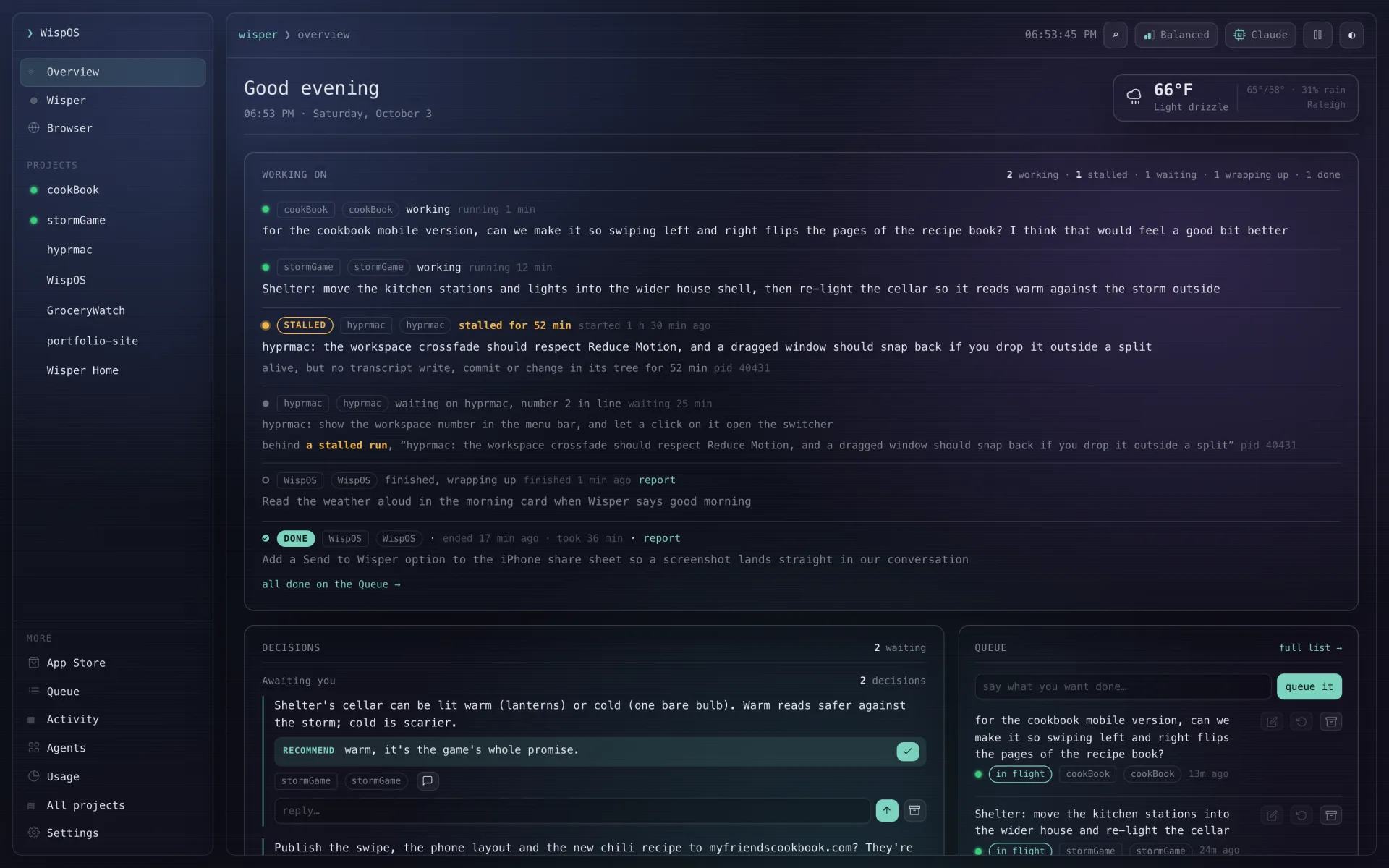
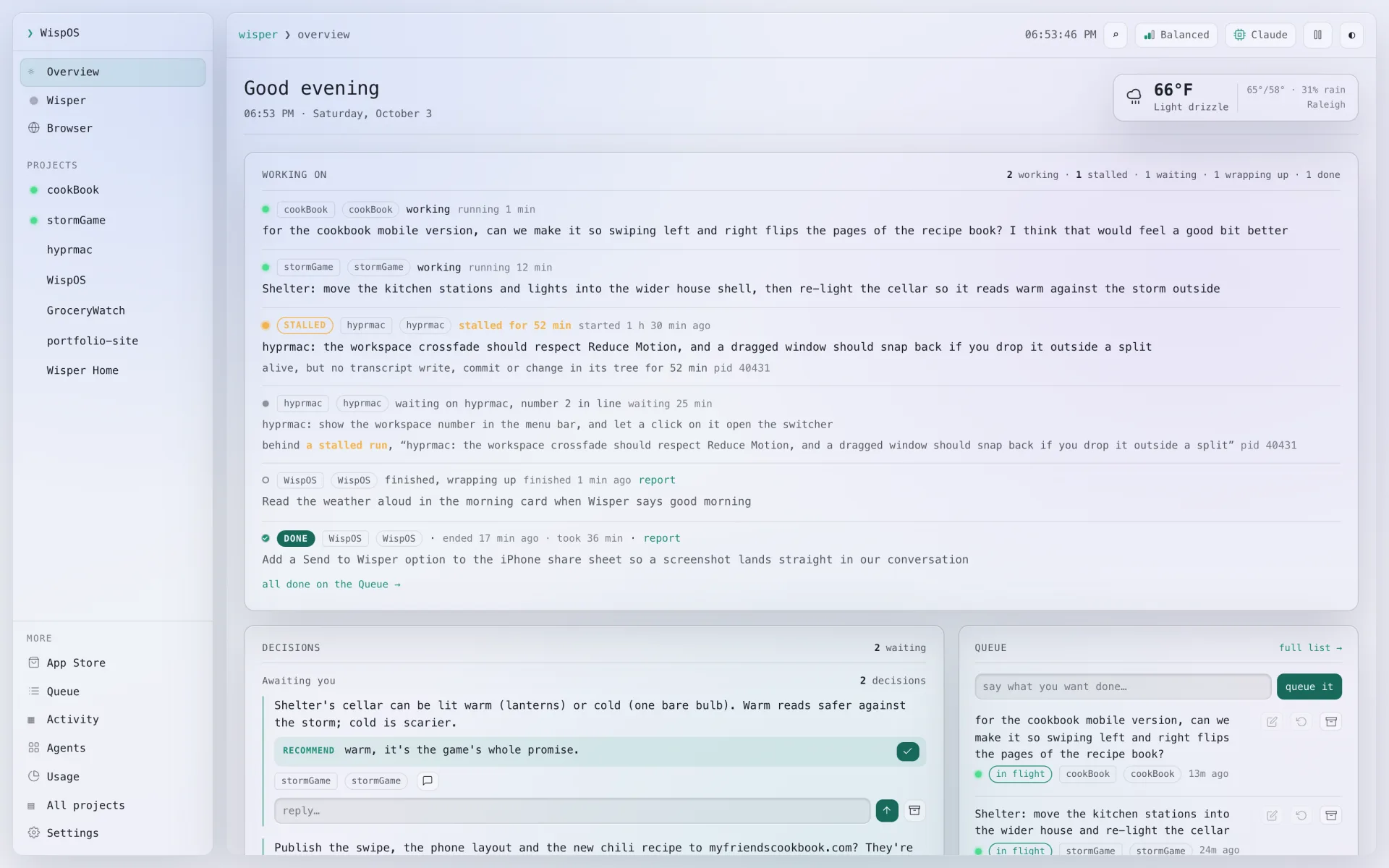
Overview: What's rolling
A card for each project with work going: every task on it live, how long it's run, a stalled run called out, the last few done under it. Decisions and Action Items wait in a fold below.
Decisions and Action Items
Every call an agent can't make without you, each with her recommendation: tap the check to go with it, or reply in a line. Beside them, your action items, the things that are yours to do.
A queue that tells the truth
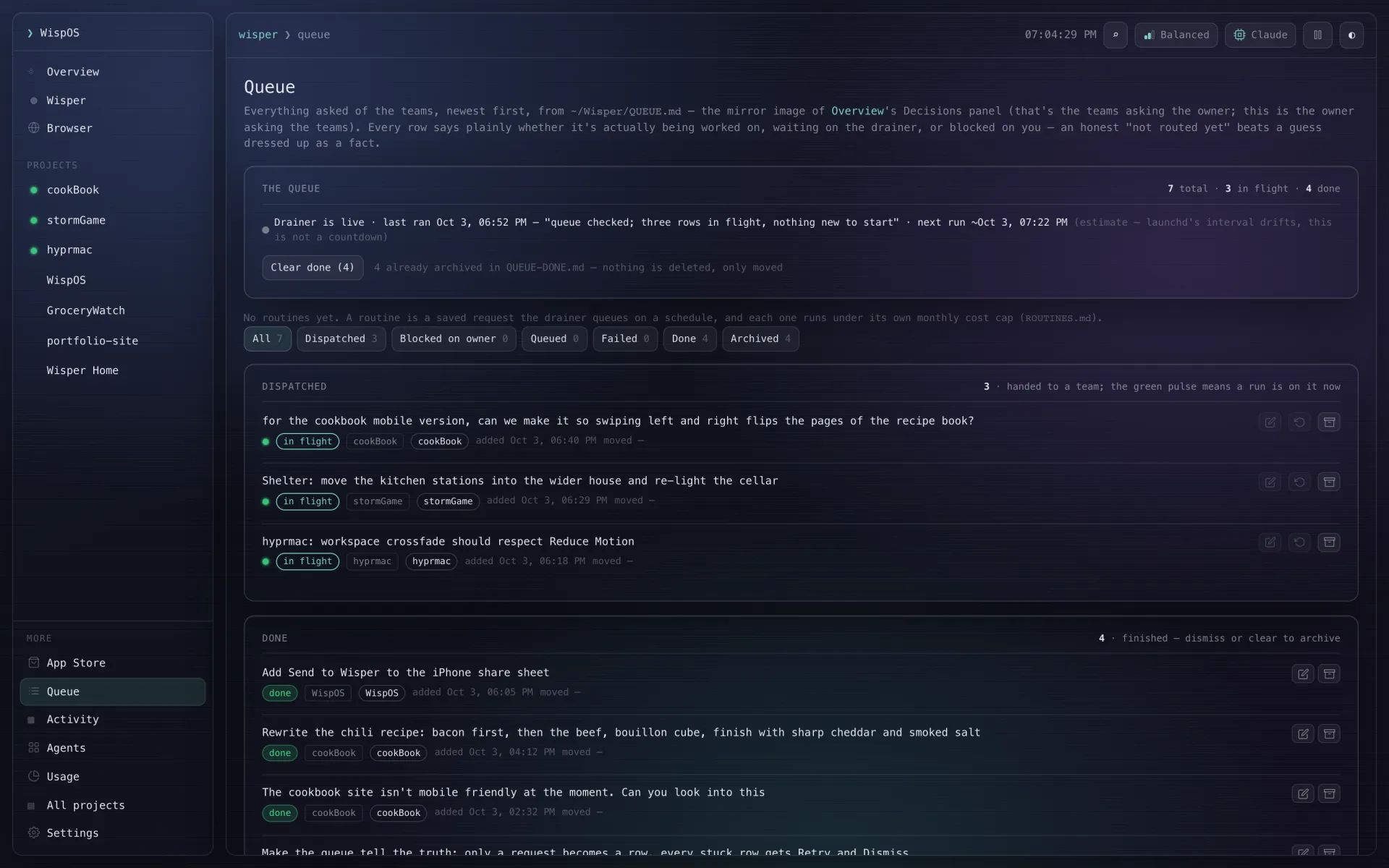
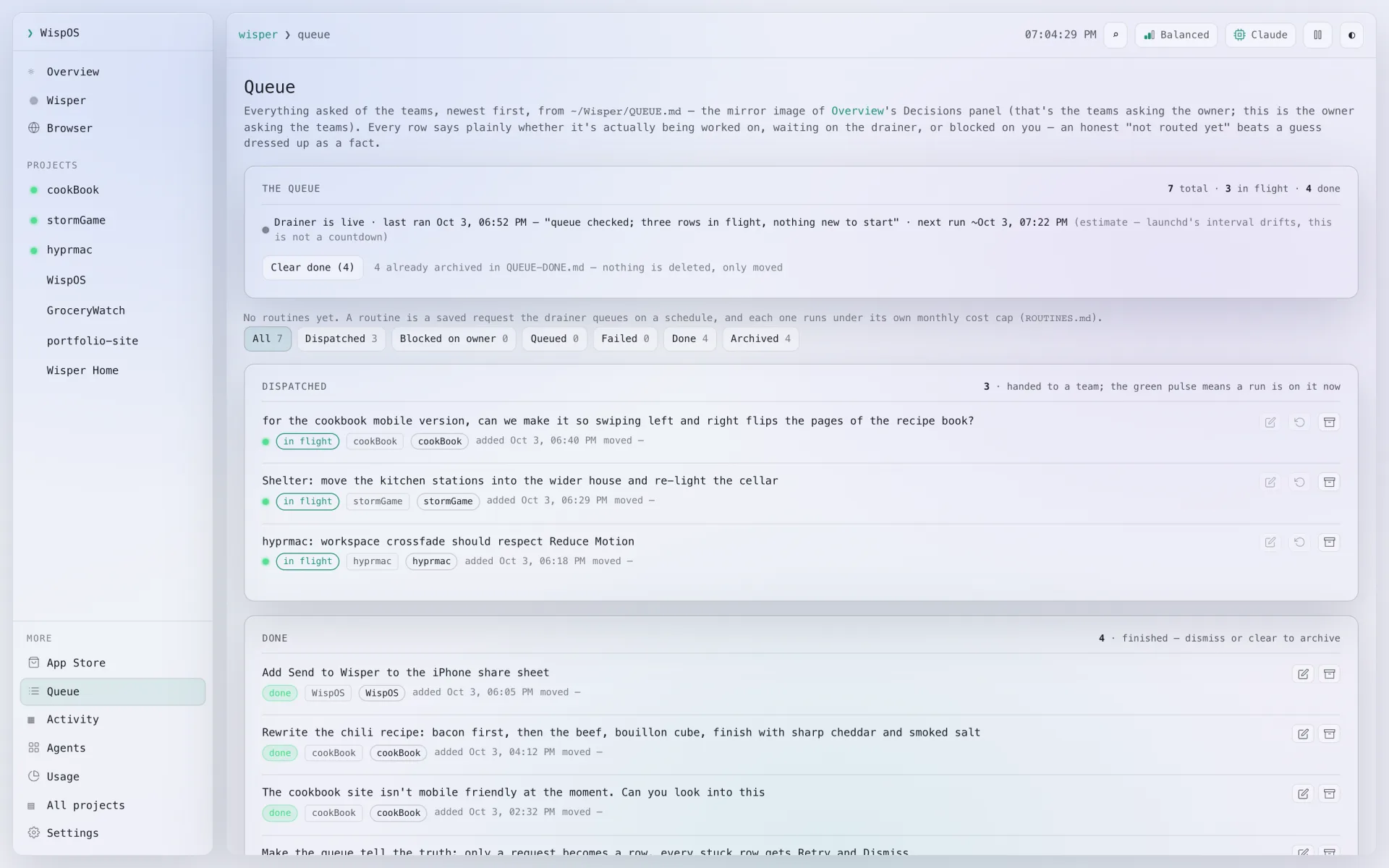
Its own page, with a box at the top for the next request. Below it, every request you've made: in flight, waiting, done, or stuck. A stuck one gets Retry and Dismiss, never a silent spinner.
Your projects, live
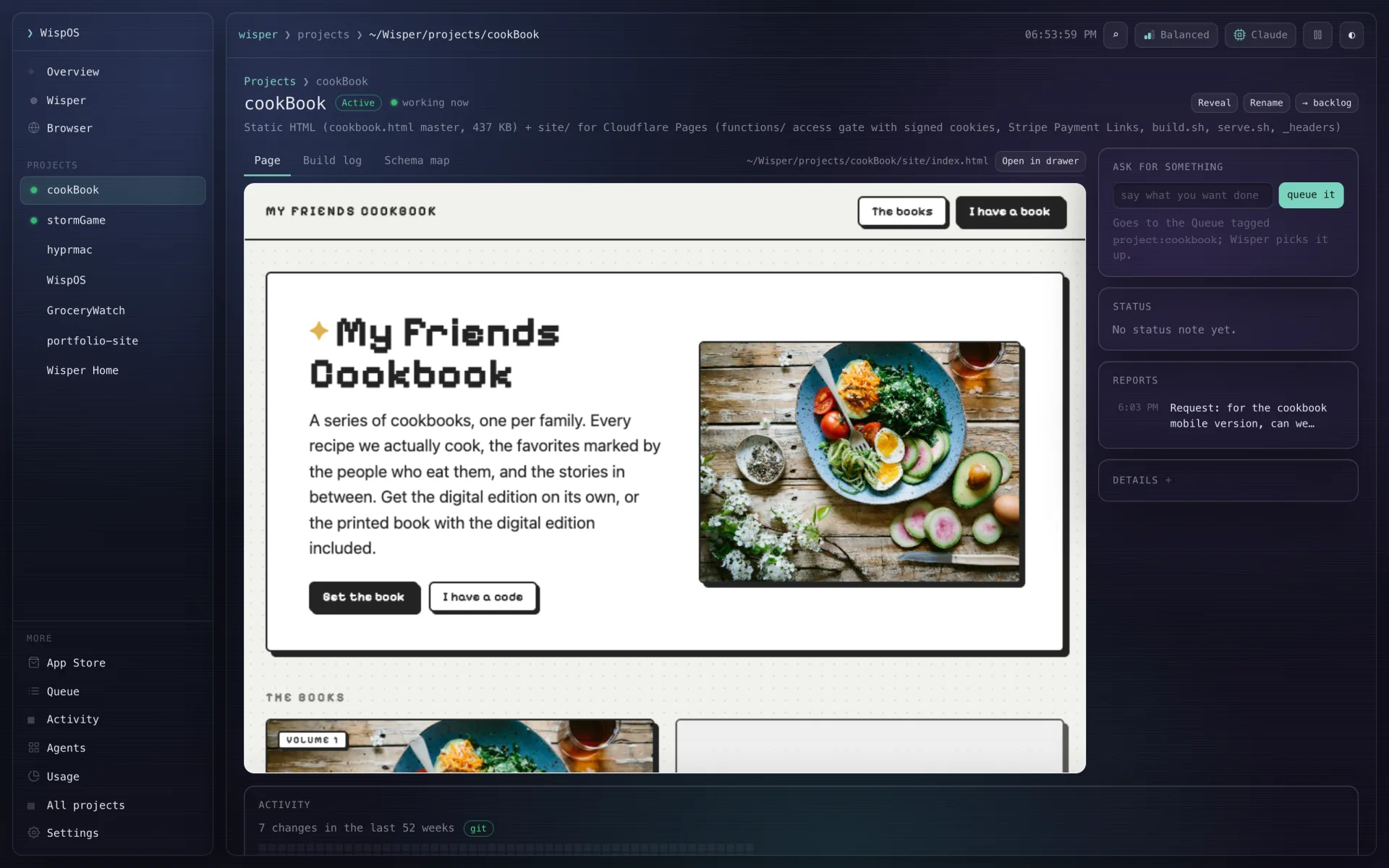
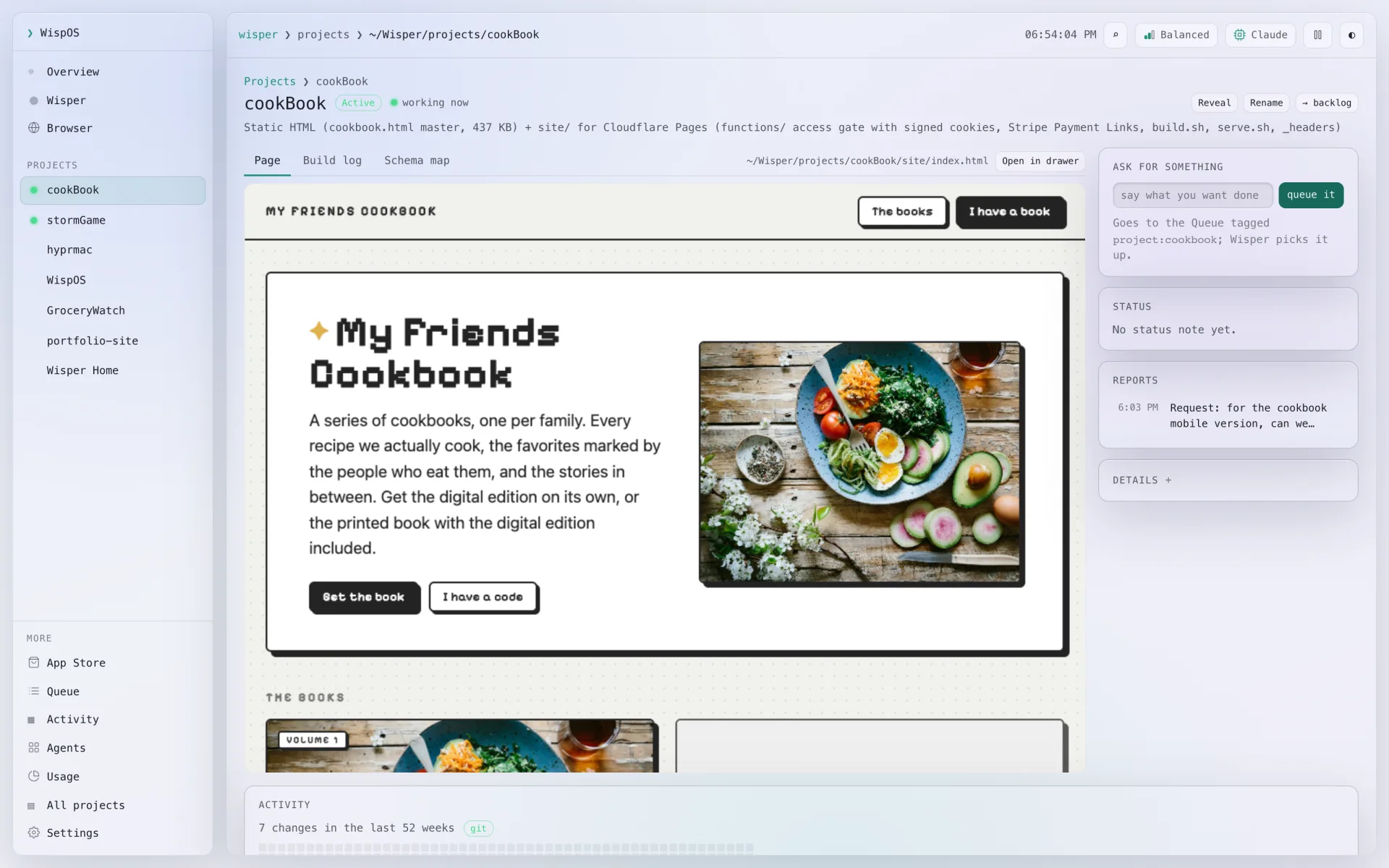
The ones in play sit in the sidebar with live lights. Open one for its own page: what it is, where it lives, which AI works on what, buttons to its pages, a box to ask for something and a year of activity.
Popup and chime
She slides in over any app with a chime when there's news, your projects and their lights along her bottom edge. Answer her right there, attach a file, or press Esc and carry on. Left alone, she fades.
Talk in any app
Press ⌥Space in any app for a quick ask. Tap the mic, or Control twice, and just talk; tap again and it sends. Speech becomes text on your own computer, and whatever's playing pauses while you speak.
A browser that works with her
A browser in a drawer beside her, or filling the window from Browser in the sidebar, signed in as you. She reads pages and video transcripts, and clicks and types when you ask. Anything that sends or pays waits for your Allow.
Phone companion, in beta
Wisper, Overview, your Apps, the Browser and the Store on your phone, with Decisions, Action Items and the Queue in its menu. Dictate from the Dynamic Island, a widget or the Action Button.
Skill tree level two
And the rest of the kit.
Also in the app today.
She remembers
A memory ledger of what you've decided and built, so she answers from your history, not a blank slate.
She thinks while you're away
Overnight she looks into what you're working on, so she opens with something worth hearing: a fact she found, a joke, or one of your inside jokes.
Throttle, pause and usage
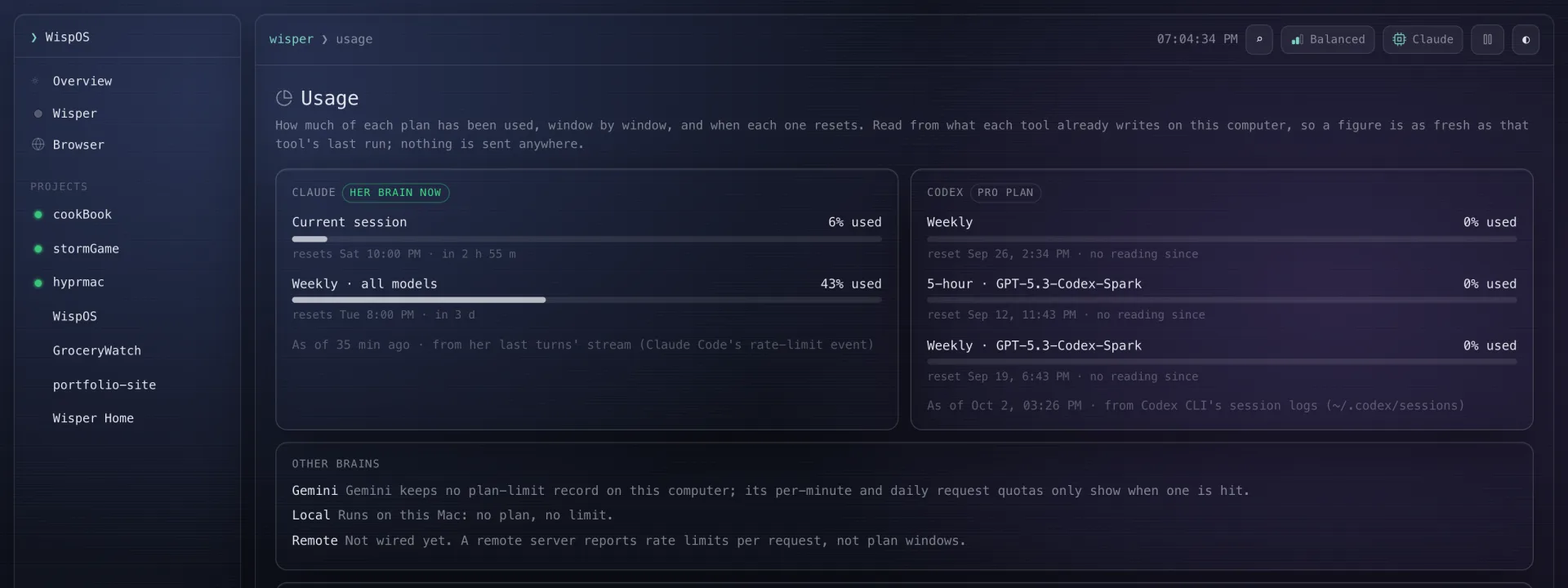
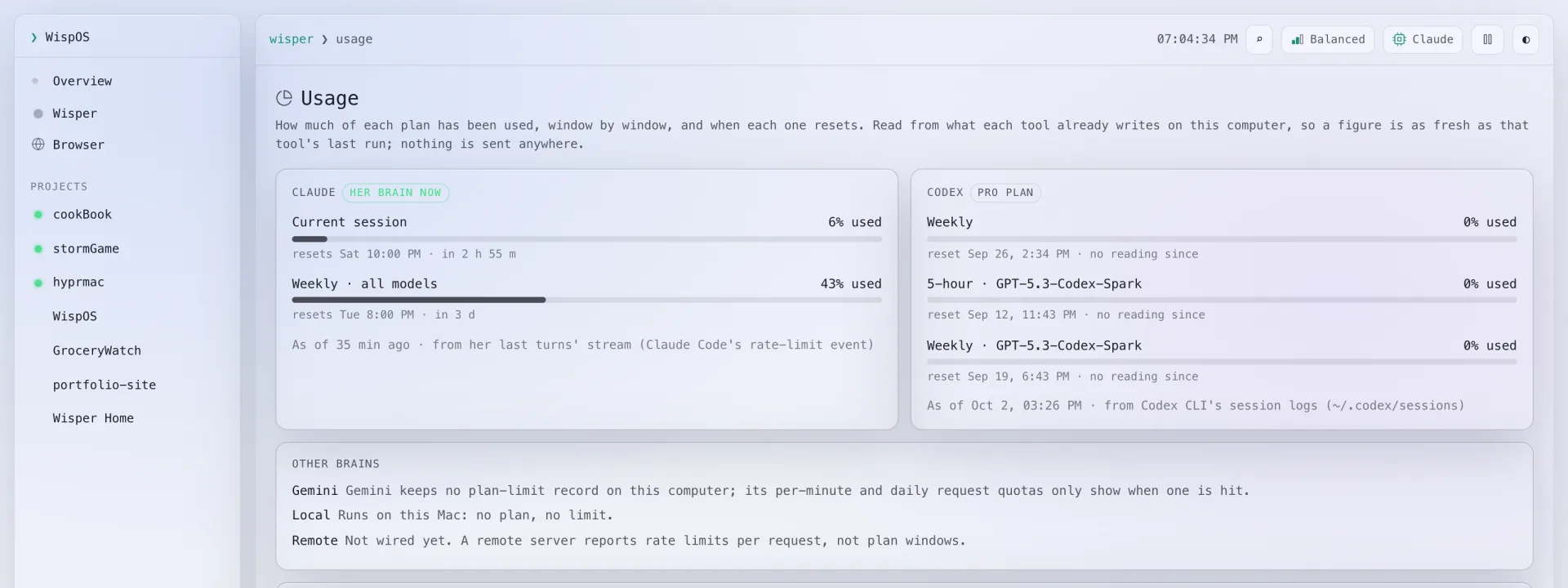
Max, Balanced or Eco from the dial in the header, next to the AI you picked; Pause stops new work everywhere. A Usage page shows how much of each plan is used and when it resets.
Morning Review at 9
It comes switched on: every morning at 9 she brings the weather, a recap, what's running and the queue to her chat and your phone. Change the time or days on the Routines page.
You approve the risky parts
When Wisper needs a permission she doesn't have, the request comes to you on the computer or the phone. Allow it there and she carries on.
Timers and reminders
"Remind me at 4 to call the bank." She comes back at 4, even if the app was restarted, and a timer rings on your phone too until you stop it.
Share your agents
Choose which of your agents and projects to share, and send the link for someone else's Wisper to pull them in. Sharing is self-hosted.
Mac and Windows
The same app and the same features on both, so a fresh install on either works the same way.
Inventory the real app
No mockups.
These are the screens.
Inventory the real app
What you asked for. What it used.